Using the Ralph Wiggum loop to execute Kiro specs
This blog post assumes you are somewhat familiar with Kiro specs driven development (if you are not, this is a great read) and the Ralph Wiggum loop (if you are not, this is another great read).
When I think about Kiro specs driven development, I think about a two phases approach: the authoring phase and the execution phase. Kiro manages for you both phases inside the IDE. It includes an intuitive authoring wizard that allows you to craft the specs for the goal at hand, and it also includes an integrated execution flow to implement the specs you have defined. Over the months, we have been improving both of these phases. For example, for the authoring phase we have introduced Property based testing which is another representation of your requirements useful for properly testing the code generated (read the linked blog if you want to know more). For the execution phase we have recently introduced a hands-off "Run all tasks" feature that allows you to launch the execution of all tasks in the specified order and inside sub-agents automatically. We will continue to enhance with advanced capabilities both these two phases.
Many Kiro users love this integrated approach. However, some users have shown an interest to further decouple these two phases and take more ownership of the execution phase to do things that the "managed" experience in the IDE would not allow them to do (today). To this end, why not experiment with the "ralph loop" to iterate through the Kiro specs tasks? The Run all tasks feature in Kiro works similarly to a bash loop that iterates through tasks in tasks.md. However, the cool thing is that you can define a (self-managed) prompt in the loop that allows you to have Kiro CLI iterate through the tasks that the Kiro IDE has generated with its specs authoring workflow. If you want to know more about how this workflow works, you can refer to the prototype and the README in this GitHub repository. In a nutshell, all you have to do is to copy the files ralph-loop-kiro-specs-script.sh and ralph-loop-kiro-specs-prompt.md into your own project root and execute the script against an existing Kiro specs. For example:
1./ralph-loop-kiro-specs-script.sh 20 votes-dashboard
This executes a loop for a maximum of 20 (arbitrary number) invocations against a spec that exists in .kiro/specs/votes-dashboard (the iterations should ideally be equal to or greater than the number of top-tier tasks in tasks.md)
The fun thing about this is that, because you fully own the ralph-loop-kiro-specs-prompt.md (which is the execution logic), you can have that logic implement custom behaviors. Like, for example, you could have an instruction at the end of it that suggests to create a dashboard with a summary of the specs execution:
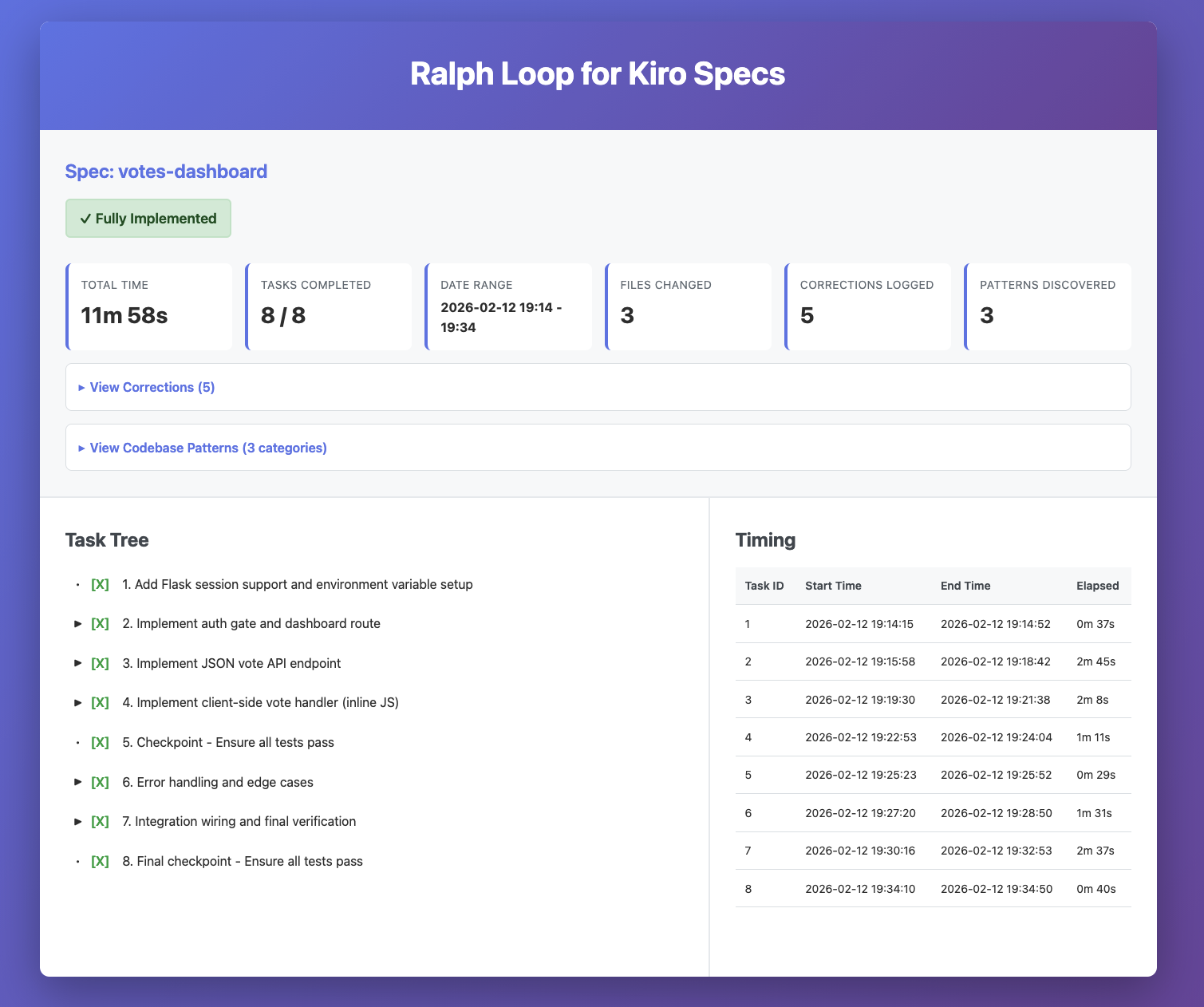
I find this pretty cool!
Also, because the execution happens in a CLI, this leads to potential automation scenarios. For example, I automated the sequential executions of the same specs testing different models and evaluating the outcomes (hint: Opus 4.6 is still the best but watch out for the new open weight models we just launched in Kiro!)
A few obligatory observations:
- This is just a prototype that I have vibe coded and tested in a limited way. Depending on how it goes I will keep updating the repo (we'll see)
- This loop doesn't run in any sandbox. I have been playing with Docker Sandboxes (which do support Kiro) but I haven't documented how to tweak the script to use them.
- The dashboard isn't consistent. Since it's just basically a one-shot prompt, the model will tend to create a dashboard that is inconsistent (but similar) across runs. More details in the prompt with some strict guidance on format and layout would guarantee more consistency
I would love to hear what you think!
Expect the repository to diverge from this static blog in case I will continue to work on the prototype (I will likely not update this blog).
Massimo.